What the Heck is UAC
UAC stands for User Access Control. It is Microsoft's answer to programs being installed without you knowing. This is supposed to prevent viruses(fine..I'll just call it viruses and not virii... you win ok) and malware from being installed.
However it doesn't really do a good job and is just annoying.
Should I disable it?
I dunno, its really up to you I guess, but if you are here I presume you have already made the decision to disable it. So lets get on with the show.
How to?
There are a number of ways to disable it. This is one such way...
- Click the Start button and type UAC and click on Change User Account Control Settings
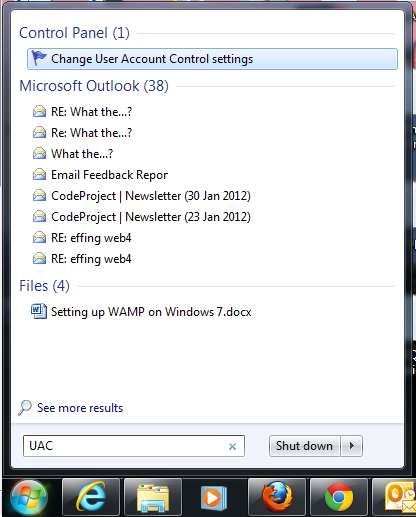
- You may be prompted to be an administrator or some such thing... so if you are not an administrator you should become one.
- Now you can slide the bar all the way to the bottom. This will disable UAC. Click OK and reboot your computer.




 General
  News
News  Suggestion
  Question
  Bug
Bug  Answer
  Joke
Joke  Praise
  Rant
Rant  Admin
Admin 

 Submit an article or tip


